Stop typing.
Start treating.
AI-powered medical visit documentation for physicians. Record, transcribe, and generate structured reports — in seconds.
How It Works
Three simple steps. From visit to report in minutes.
Record
Tap once to start recording your patient visit. Works in the background — put your phone down and focus on the patient.
AI Generates Report
Our AI transcribes the conversation and structures it into a professional medical report with your custom template.
Review & Deliver
Review, edit, approve — and the report is delivered as a password-protected PDF to your email. Done.
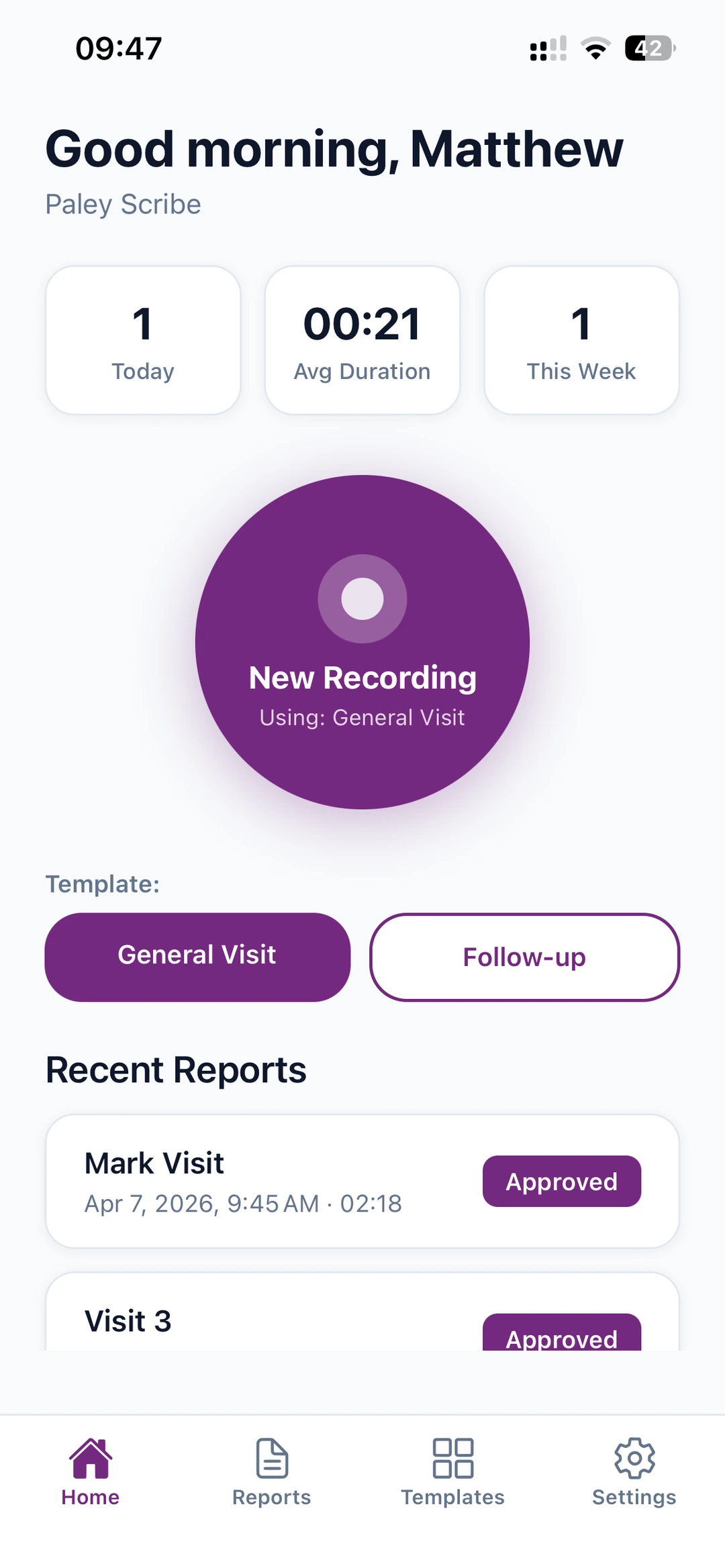
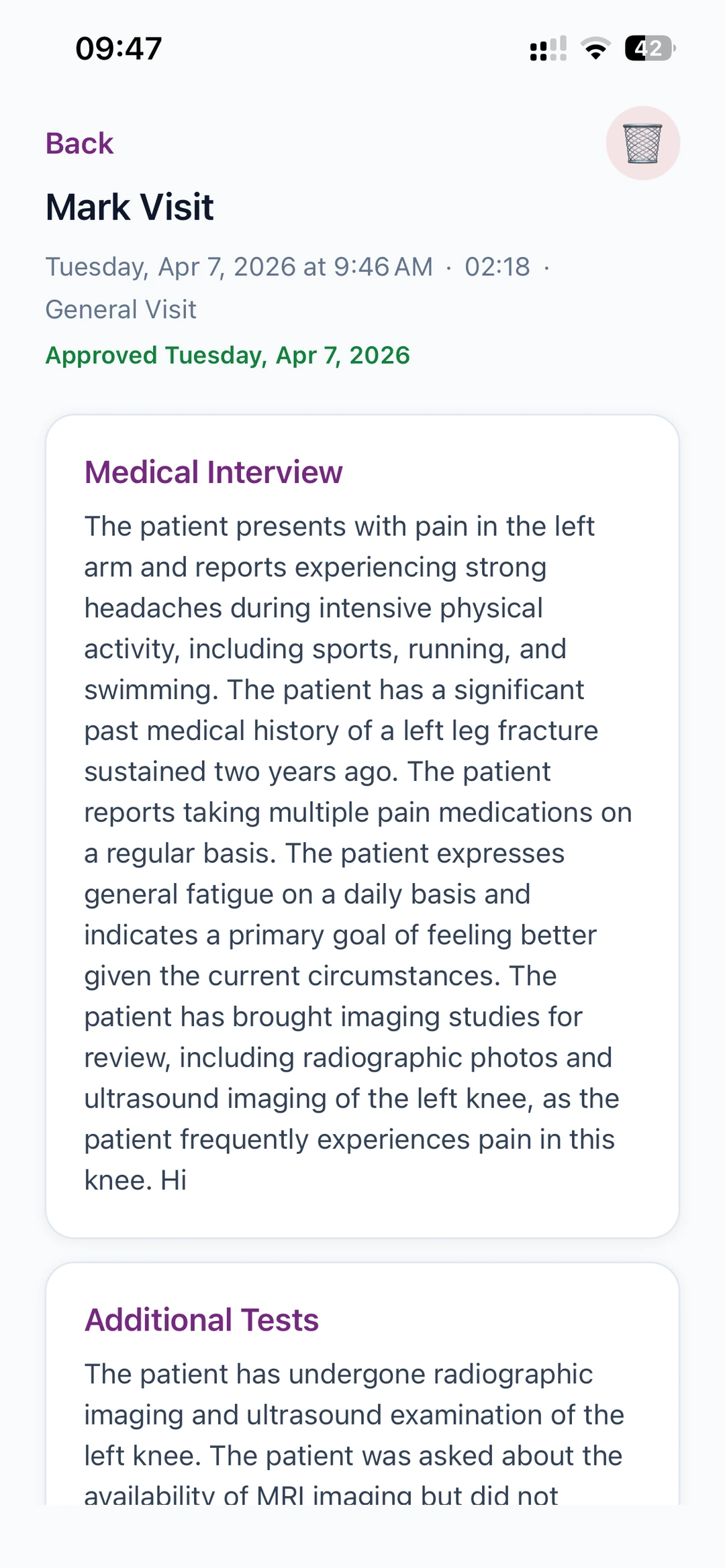
See It In Action
Clean, intuitive interface designed for busy physicians.

Templates Built Around You
Every doctor practices differently. Build report templates that match your specialty, your visits, your style — not the other way around.
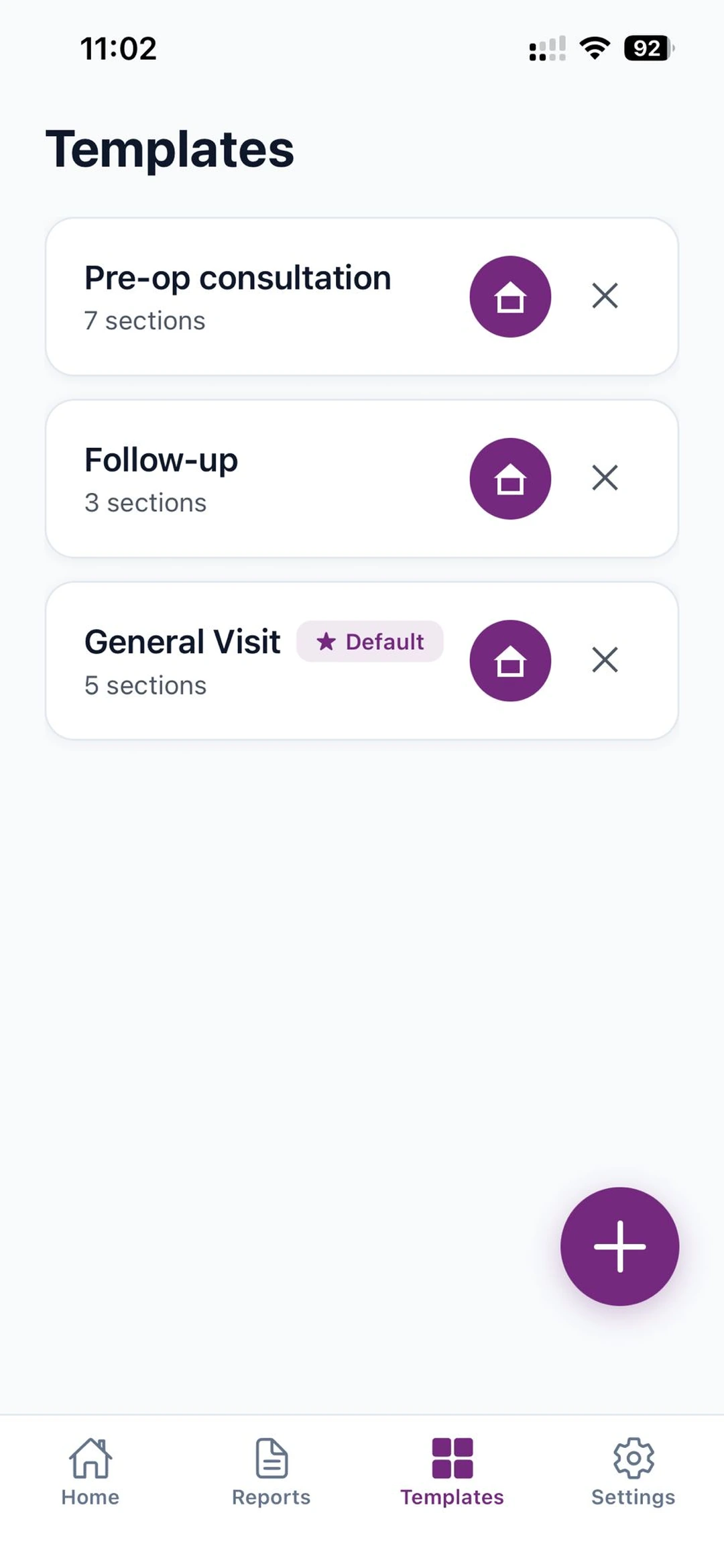
Templates for any visit type
You decide what kinds of visits you record. Build a separate template for each — pre-op, follow-up, telehealth, or your specialty's own workflow.
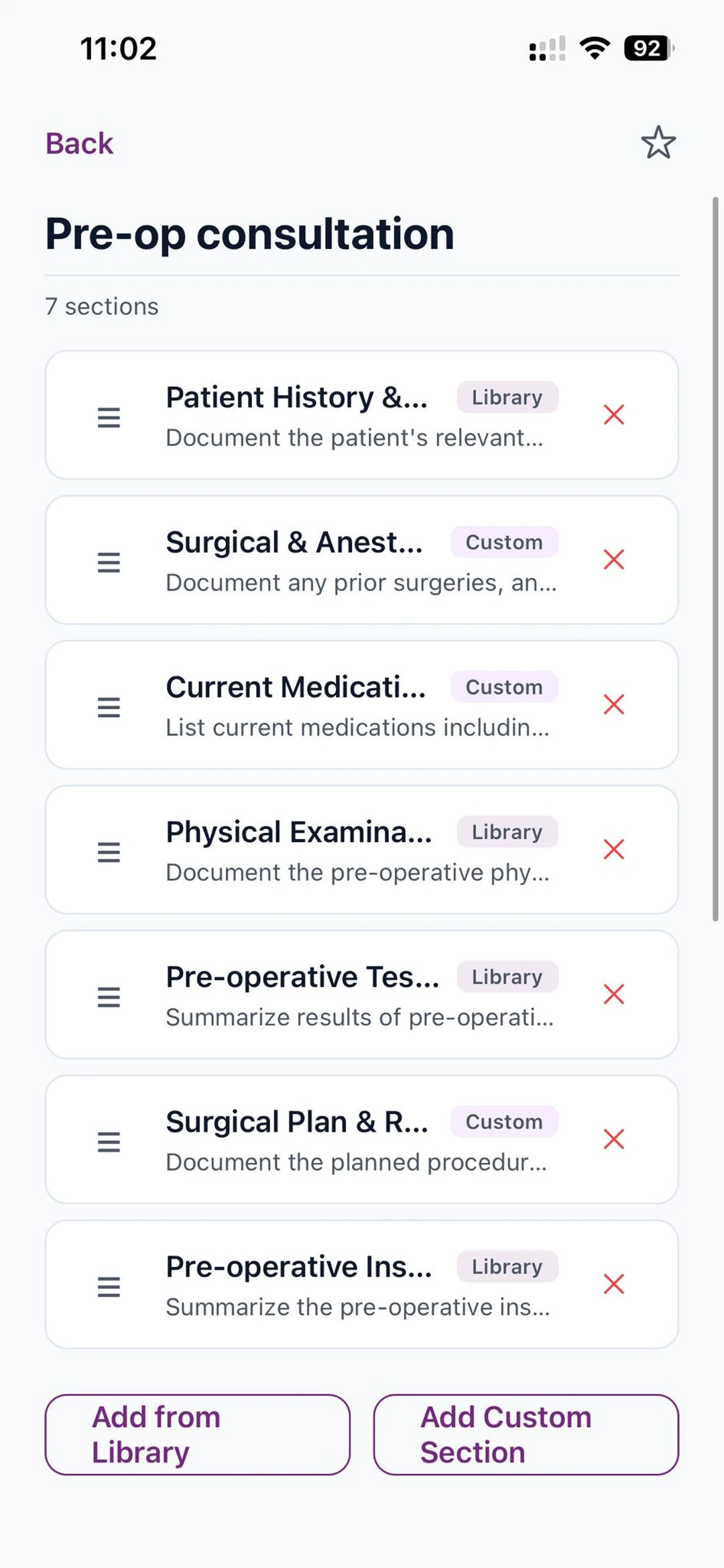
Mix library and custom sections
Add your own custom sections and tell the AI exactly what to focus on in each one. Combine them with proven sections from the library. Drag to reorder.
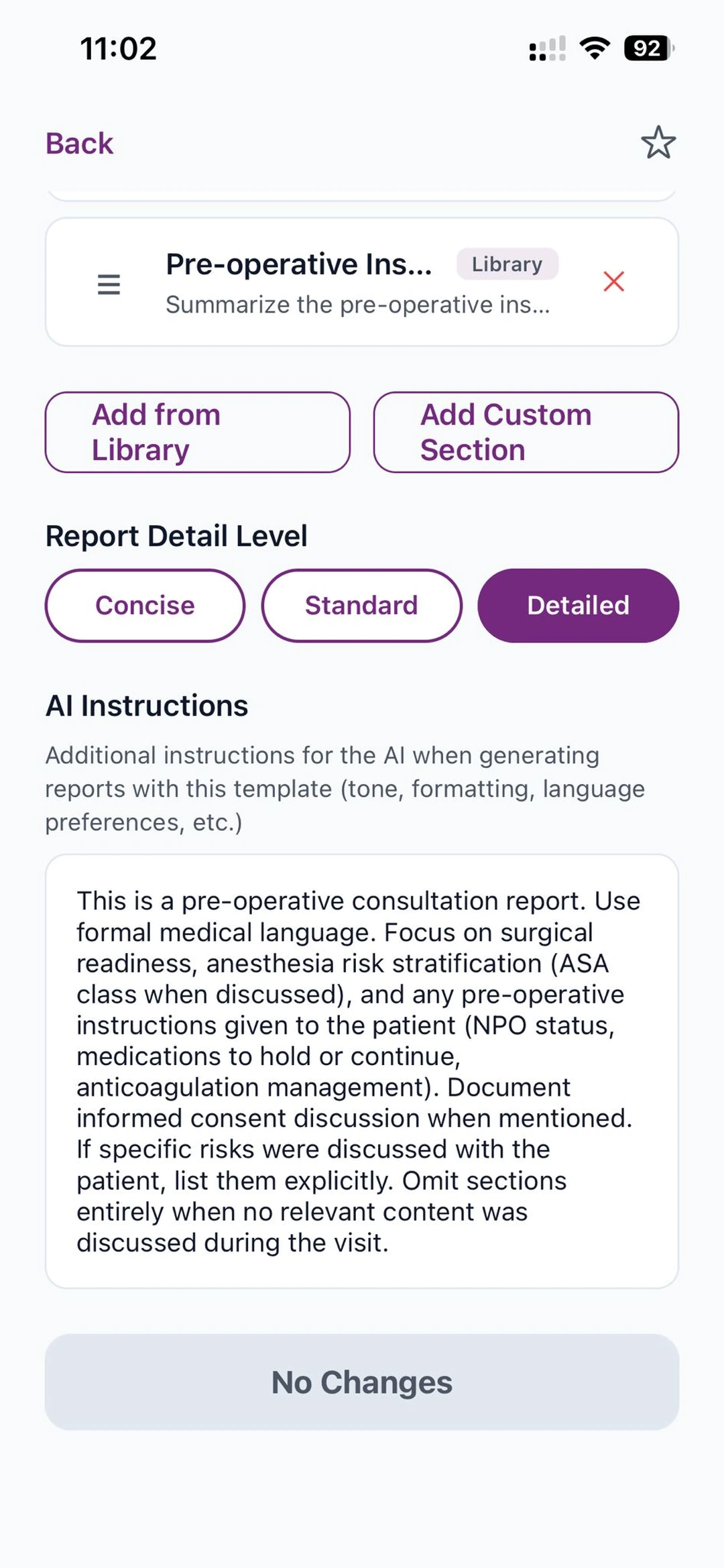
Tune the AI
Pick a detail level — concise, standard, or detailed. Add custom instructions for tone, language, formatting. The AI follows your rules.
How to set it up
- Open the Templates tab and tap the + button to create a new one.
- Name it after the visit type — for example Pre-op consultation, Follow-up, or General Visit.
- Tap Add from Library for proven sections, or Add Custom Section to write your own name and a short description telling the AI exactly what to capture in that section.
- Drag sections to reorder them. Tap any section to edit its name or instructions later.
- Pick a Detail Level — Concise, Standard, or Detailed — and add AI Instructions for tone, language, or formatting preferences.
- Save the template and tap the ★ to set it as your default for the next recording.
Built for Healthcare
Security and compliance are not features — they're foundations.
HIPAA Compliant
Full compliance with Privacy & Security Rules
AES-256 Encryption
Data encrypted at rest and in transit
AWS Infrastructure
Self-hosted on HIPAA-eligible AWS services
Simple Pricing
One plan. Everything included.
+ applicable tax
- ✓ Unlimited visit recordings
- ✓ AI-powered transcription & reports
- ✓ Custom report templates
- ✓ Password-protected PDF generation & email delivery
- ✓ HIPAA-compliant infrastructure
- ✓ AES-256 encryption